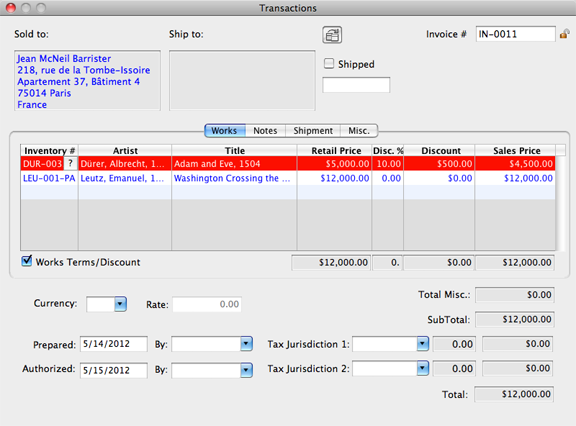
Transactions: Add/Remove Works
To Add A Work To A Transaction
- Open a Transactions Detail Screen.
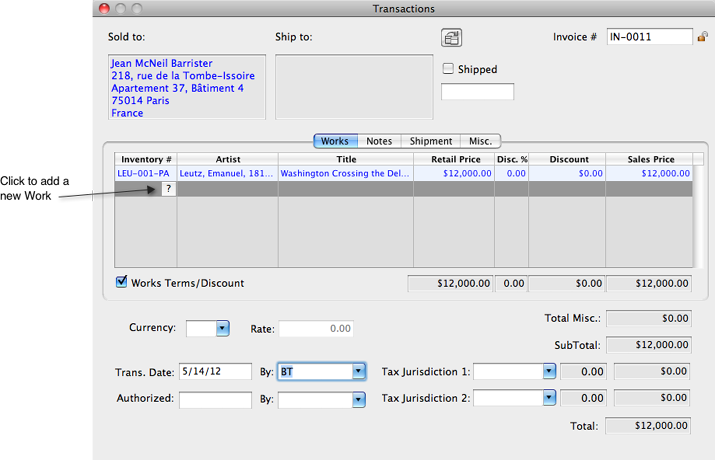
- Click on the line below the last Work entry and click the Lookup
 button.
- Utilize the Search field to help find the Work record to add to the Transaction.
- Mark the desired Work record (or records).
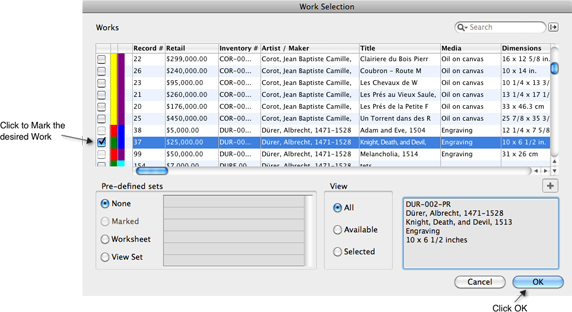
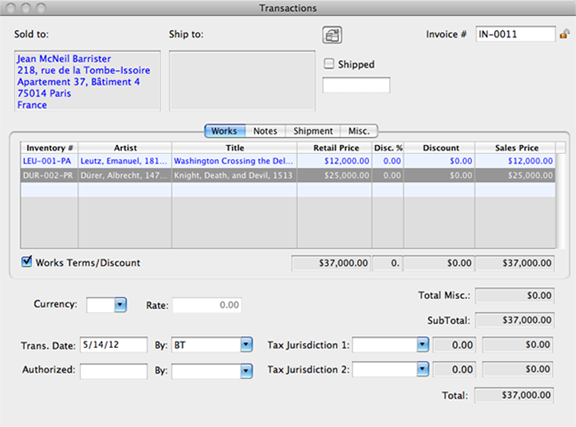
- Click OK and the new Work has been added to the Transaction.
To Remove A Work From A Transaction
- Open a Transactions Detail Screen.
- Click on the Work record to be deleted.
- Select the DELETE key on the keyboard, the line will turn red.
- Close the Transaction record and you will be prompted to Purge the item from the Transaction. If you wish the item to remain on the Transaction for any reason, answer 'No' to Purge and it will remain, highlighted red, and will not appear on any Pro sales reports.