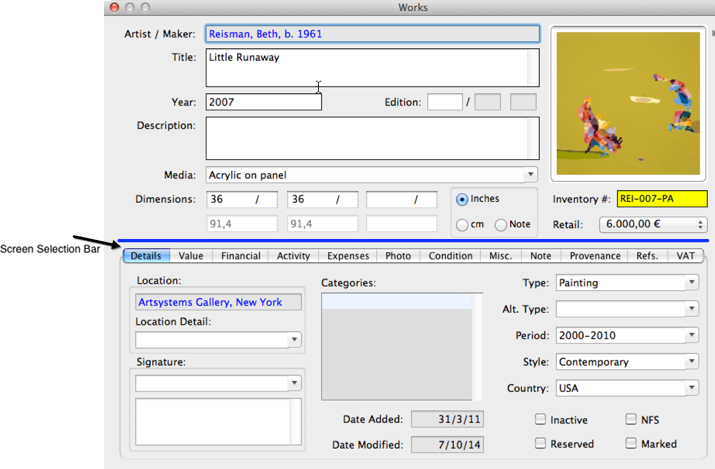
The Detail Screen displays all information about the record in full screen view. Users may activate a record's Detail Screen in any of the following ways:
On the Detail Screen, click any of the options located on the Screen Selection Bar to view additional record screens. In the example above the Screen Selection Bar options for Works are: Details, Value, Financial, Activity, Expenses, Photo, Condition, Misc., Note, Provenance, References and VAT. The blue highlight indicates which screen is active.
NOTE: The VAT Screen is activated through Preferences>Modules>Transactions. If this option is NOT selected, the VAT Tab will not appear on the Detail Screen. The VAT Tab manages the VAT Status of the work such as for example Standard Rate, Margin-scheme, Reverse Charged etc. The tab also includes the possibility for ARR accounting calculations and reporting See also: Works>VAT Screen