Frequently Asked Product Questions
Note: If you are already an Artsystems Customer, please visit
our User FAQs pages.
Q. Artsystems offers three applications for managing art, antiques,
and other fine collectibles. Which is right for me?
A. If you sell or consign art, antiques, or other fine collectibles,
you need GalleryPro, unless you are an artist — then Studio is
right for you. If you do not, and are only managing a collection,
Collections may be right for you. However, if you would like
to take advantage of GalleryPro's robust features, or need to keep
track of detailed and extensive bibliography, exhibition history,
and provenance for the works in your collection, you may need GalleryPro.
In addition, both GalleryPro and Studio work with our integrated
Web Manager software.
Scroll down to see what each system can do for you.
GalleryPro,
Studio, and Collections
are user-friendly applications that do all of the following. You
need one of these applications to:
- Track locations of work in many different locations — including
works out on loan or in exhibitions
- Organize works and track value for insurance purposes
- Immediately identify the source and cost of each work
- Keep track of shipping details and generate shipping documents
- Track insurance information (policy numbers, broker's names)
as well as appraisal and insurance value history
- Record designation of pieces for estate planning purposes
- Keep track of contacts: dealers, galleries, artists, collectors,
shippers, restorers, etc. Even if each contact has many different
addresses — home, office, and summer address, for example
- Create Artsystems contact 'task reminders' with one click via
integration with Outlook.
- Print mailing labels based on any combination of contact criteria
- Create slide labels and wall labels
- Store and display multiple images of each work with its record
- Automatically update the work's location when shipped
- Create a custom loan agreement
- Keep track of the work's loan history
- Track retail, insurance, and appraisal value histories
- Track cost information in multiple currencies
- Track inventory or collection details, sources, and destinations
- Quickly locate information in any field in the database
- Link, extract, and present inventory and contact information
in a variety of report formats
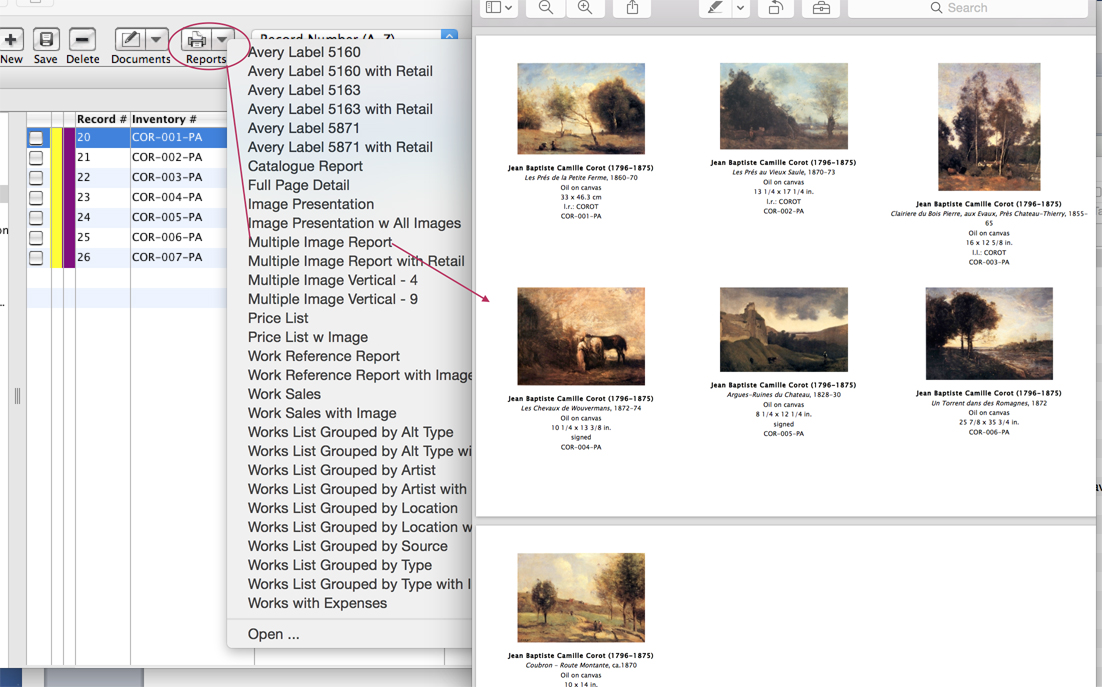
- Create 'multiple image' reports of selected Works
- Define your own fields
- Create and access correspondence and artist bios directly from
the program — save with the appropriate record
- Save correspondence (including email) within each contact's
record for future reference
- Create information sheets for each work
- Track photography of works and link to contacts
- Display documents and reports in Microsoft Word (optional)
- Send emails — including to groups — directly from Contact
database via integration of Microsoft Outlook and save messages
within the Artsystems software contact record
- Exchange DataKits of selected objects
— including basic information, images, and an information sheets
— with partners, dealers, galleries, artists, clients using Artsystems
GalleryPro (utilized by the majority of galleries using a gallery
management system), Artsystems Studio or Artsystems Collections
— no re-typing!
- Create security, allowing some users have access to all information,
and limiting others
GalleryPro
and Studio include all of the above
features, as well as features that keep track of art sales and consignments.
(Note: Only two artists can be tracked in Studio). You will need
GalleryPro or Studio to:
- Keep track of Consignment information
- Keep track of offers to clients
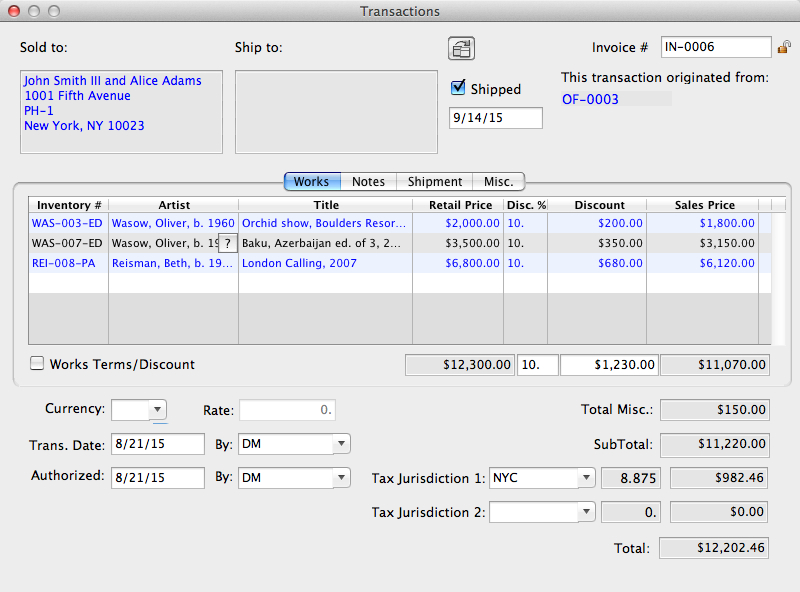
- Convert offers to invoices with one click
- Give multiple discounts on one invoice and calculate the total
sale
- Calculate and display profit for each work
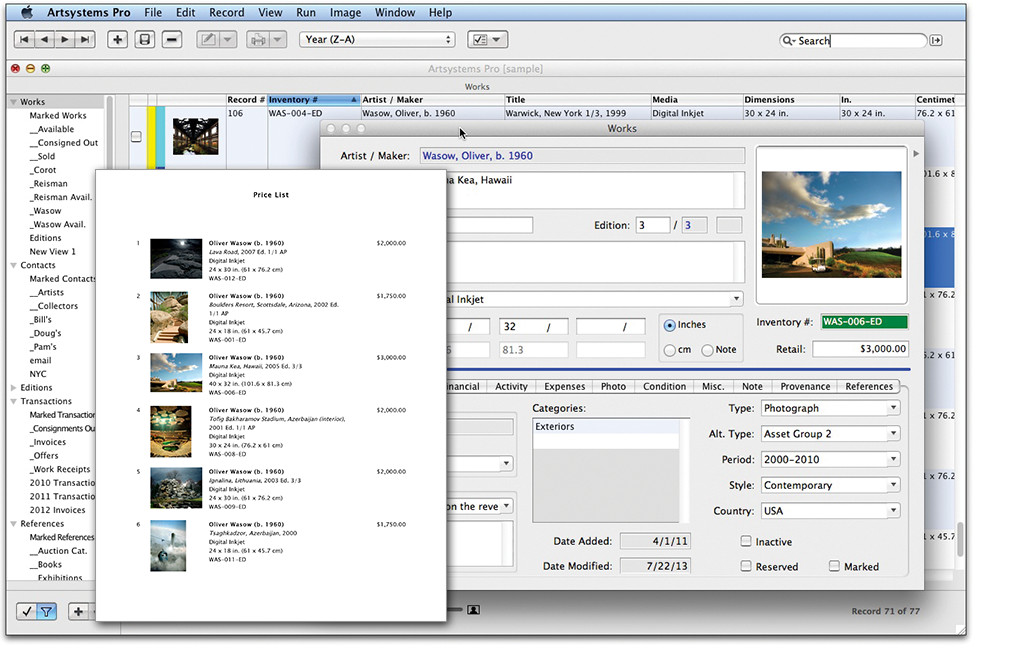
- Create price lists
- Track client balances, including aging receivables
- Set custom codes for automatic inventory numbering
- Complete inventory cataloguing of multiple editions, including
numbered and unnumbered editions, multiple image sets, and all
information common to editions sold or produced
- Track work reference and artist bio information such as exhibition
history, provenance (collections), and bibliography for each work
and cross-link through the relational database
- Track of bibliographic entries by type: Book, Dissertation,
Journal, Lecture, Magazine, Newspaper, Video, Reference Book,
or Television
- Automatically create both 'Verbose' and 'Abbreviated' Exhibition
and Bibliographic entries in 'Chicago Style' for automatic creation
of artwork Information Sheets
- Set custom codes for automatic inventory numbering
- Option to automatically renew the content of your Web
site.
GalleryPro
includes all of the above features, as well as features that keep
track of multiple artists and other multiple sources of inventory.
You will need GalleryPro to:
- Create accounts payable reports
- Track source balances
- Track which clients buy which artist's works, and how much they
paid
- Integrate data with QuickBooks Pro for a complete general ledger
solution
- Track items in clients' collections
(top)
Q: How can I demo the software?
A: You may demo Artsystems software in a number of ways:
- We have extensive walk-through demos for Collections,
Studio, and GalleryPro
software here on this Web site
- We conduct live demos over the Web of GalleryPro on your
own computer
- We also conduct live demos in person for prospective
clients in New York.
Please email Artsystems Sales for more
information
Q: Does Artsystems have a way to update my Web site with
the data and images I enter into the system?
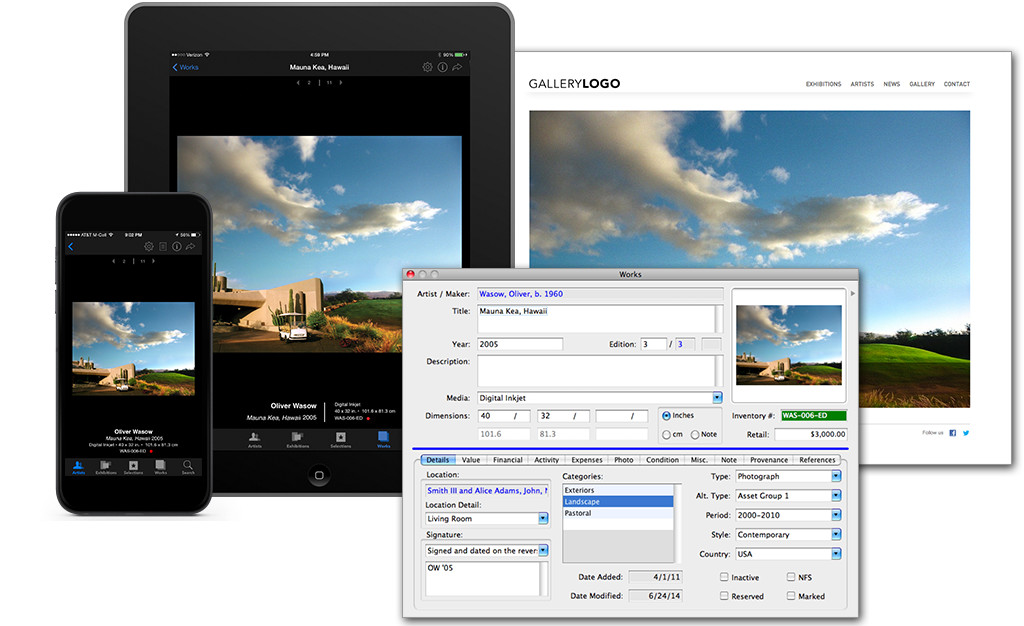
A: You bet — with GalleryPro or Studio and our integrated
Web Manager and Web Site you can
even update entire exhibitions with press releases, artists bios,
home, news, contact pages — all with no html or flash coding, and
with no need to re-enter data anywhere or anytime.
Q: Is there a manual?
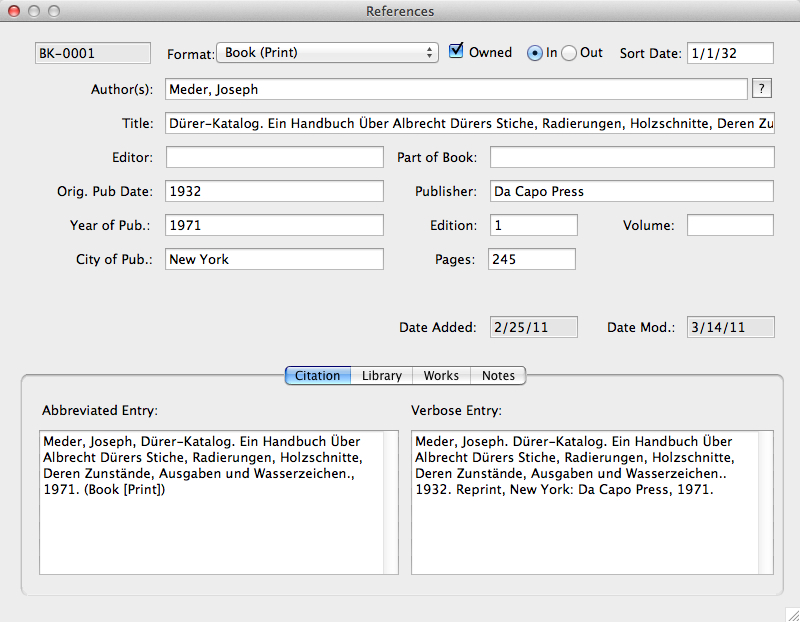
A: Yes, there is a detailed user guide recently updated
and re-written by former gallery staff for each software package.
Each is very comprehensive, readable and informative, with lots
of screen shots and step-by-step instructions.
Q: Is there a sample database for practicing?
A: Yes, there is a sample database, which you can use to
profoundly familiarize yourself with the system before entering
in your real data.
Q: Is there a need for entering the same information more than
once within Artsystems software?
A: No, there is no need for double entry because Artsystems
software has a fully-relational database.
Q: What is a fully relational database?
A: A fully relational database is a database in which there
are links between related records: links between an invoice
and the work sold and the person who bought the work. Create an
invoice and Artsystems automatically updates the work — marks it
as sold, records the sale price, calculates profit, updates location
(when shipped), adds to client's record as a purchase, etc. With
a fully relational Database, information from related records (contact
addresses for an invoice, for example) is not redundantly 'copied'
into a record, but rather is 'related' or drawn directly from the
related record. This allows for more efficient program performance,
less possibility of data corruption, and ability to jump directly
to the related record. It also means that if you need to make a
spelling or other correction, you only need to make it once — the
system updates throughout. These are major advantages over competing
systems.
Q: Is there a limit to the number of inventory items you can
have in Artsystems software?
A: No. The only limitations would be with your computer
hardware. Any recently purchased computer would be fine to run Artsystems
software. See System Requirements for
details.
Q: Are there user-definable fields?
A: Yes, there are many user definable fields throughout
Artsystems software — each customizable for the needs of your art
business or collection.
Q: Can I choose to view my data in a spreadsheet?
A: Yes, or in a single-record form view. You can move the
columns around in the spreadsheet so you can print the data you
want — including images! — in the order you choose. You can even
save that customized format and use next time you would like to
print.
Q: What happens if I need help?
A: You can call or email our experienced support staff!
Artsystems staff averages 21 years industry experience and all support
staff have previously used Artsystems software in a professional
environment. Artsystems software comes with 60 days of free telephone
or email support. We are continually available for live technical
support Monday through Friday from 10:00 am to 6:00 pm Eastern (New
York) Time. In addition, we offer continuing support on a subscription
or per-incident basis. See Services
Prices for details. We also offer quick access to support through
our Online Support Form
and links to frequently asked support questions here.
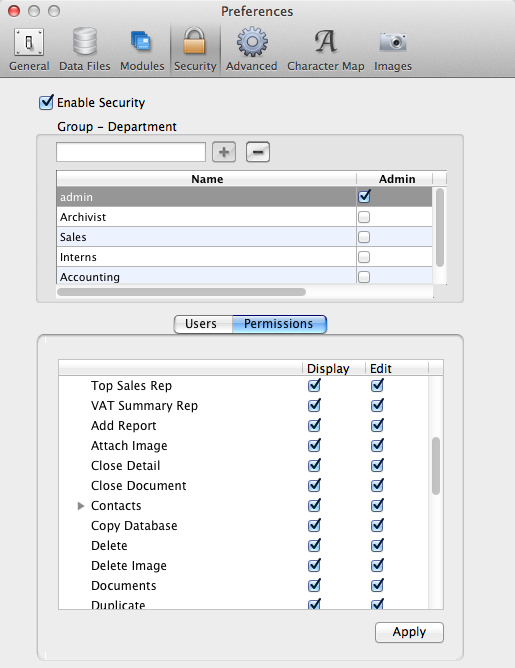
Q: Are there security levels?
A: Yes, you may set up security levels, to be accessed
on a workgroup or individual basis via individual login and password.
If you would like to restrict access to financial or other information,
you can block out certain fields, tabs, or functions, or make them
'read-only'.
(top)
TECHNICAL QUESTIONS
Q: Does Artsystems have a Macintosh®
solution?
A:
Native Macintosh OSX versions of Artsysems software are in development,
nearly finished, and due to be released in 2008.
Please let us know if you would like to be alerted upon release
of the native Macintosh OSX versions by submitting our Information
Request Form.
Please visit our Systems Requirements page for details on how Artsystems software can run on Macintosh computers today.
Q: What are the system requirements?
Please visit our Systems Requirements page for details.
Q: In which programming language is the program written?
A:
For the Windows versions, Visual Basic. Unlike its competition,
Artsystems GalleryPro is not a 'home-made' system configured from off-the-shelf kits such as Filemaker Pro or Access. GalleryPro is
a real, built-from-the-ground-up, software application that relies
on the Visual Basic 6 programming language to provide enhanced performance and unlimited integration capabilities
with third party imaging, communication, accounting, and Internet
applications. GalleryPro is not limited by the narrow range of features
that can be programmed within an application such as Access or Filemaker
Pro. GalleryPro uses database software only for its strength —
as its database engine. And yes, GalleryPro can be customized to
meet your specific needs.
Q: Is Artsystems software networkable?
A: Yes. Multiple licenses must be purchased to run on multiple
computers. See pricing for details.
Q: On which networks does Artsystems software run? A: Windows
NT3.51+, Windows 2000, Windows 2003 Server; Windows 95, Windows
98, Windows 2000, Windows XP, Windows Vista peer-to-peer, Novell 4.0+.
Q: Can I access my Artsystems software database from a remote
location?
A:
Yes, you can dial in to your computer in the office from another
location via Internet-based linking software such as PC Anywhere®
or LapLink®. You can also set up
a direct Virtual Private Network, but we have found that the best solution
for such wide area networking of an Artsystems software database
to multiple locations, however, is through Citrix
or Windows
Terminal Services. Please speak to your computer consultant
about how to employ these solutions.
(top)
WORKS MODULE QUESTIONS
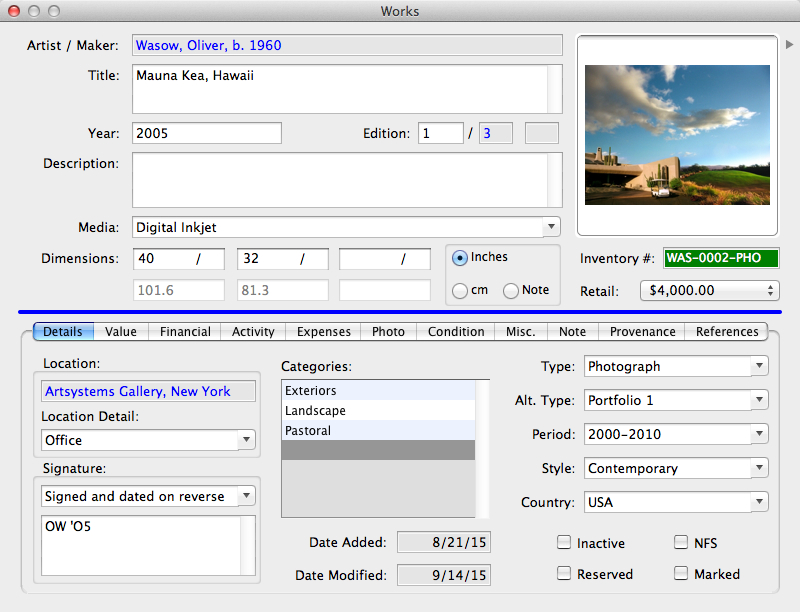
Q: Can I view images of the works within Artsystems software?
Q: Yes, you may attach multiple image filese to each work record
so you may have a visual representation of the work in a thumbnail
along with the information about the work, as well as supporting
images (details, alternate views, alternate resolutions). This is
in the format of a stockcard — a digital stockcard. If you double
click on the thumbnail images you can view the images in a full
screen format. You may instead scan the image to attach directly
into the work record, if you like.
Q: What resolution should the image file have?
A: For use with Artsystems software we suggest using compressed
(jpeg format) images.. For inkjet printing, we suggest saving
images with a resolution at 300 ppi. For uploading
to the Web, you may want to also attach a copy of the image file
at 72 dpi for a faster viewing on the Web.
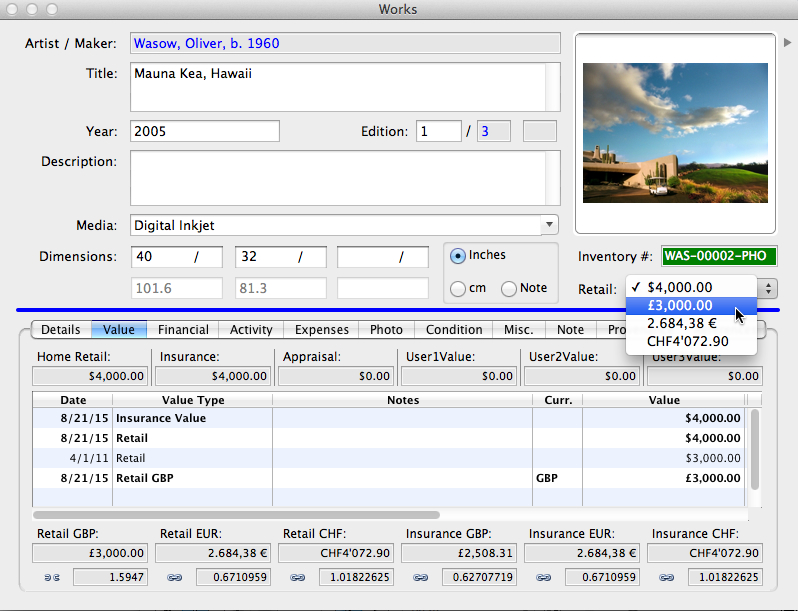
Q: Can you enter foreign currencies for retail prices or costs
of work?
A: Yes. In Artsystems software you can enter foreign currencies
for costs and for amounts due to the consignor. The system will
convert from the foreign currency into your standard currency once
you have entered in the applicable conversion rate. You can have
that symbol of your base currency appear on the screen — if you
operate in Pounds, Euros, Swiss Francs, whatever.
Q: Can you keep track of editions in Artsystems software?
A: Yes. GalleryPro and Studio each include a module for managing
editions. Information common to each of the works in an edition
can be entered into a template Edition Record — all of this information
will be copied into a new Works Record when you add an individual
piece from the edition to your Works database. All works from the
edition or a selected range can be added simultaneously. You may
view all works and the number sold and or available directly from
the Edition Record, and globally update the prices of available
works.
As in the other modules in Artsystems software, there are tabbed
sections in the Edition Record containing more detailed information
about the edition or about a specific piece in the edition.
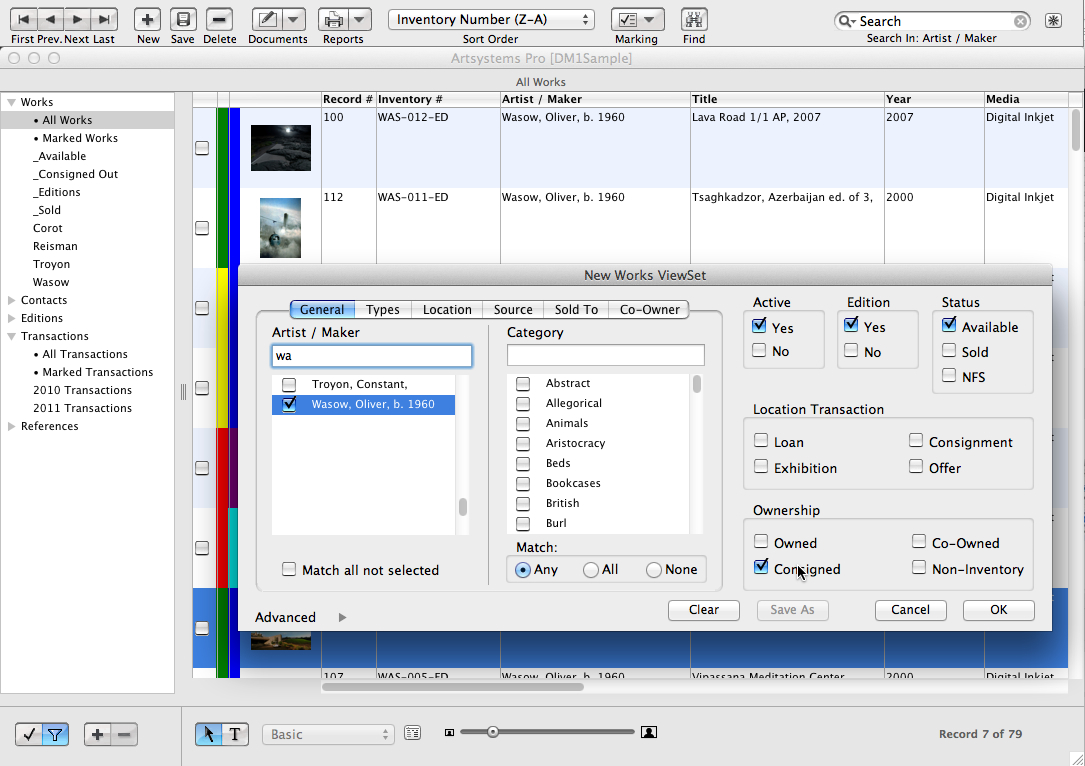
Q: Can I search or filter by dates, by artist, by source, etc.?
A: Yes, you can search for or filter (group) records by virtually
any criteria you have entered. By artist, by source, by location,
retail price, insurance value, size, media, category, type, inventory
number, etc.
Q: Will Artsystems software automatically convert from inches
to centimeters?
A: Yes, it will automatically convert from inches to centimeters
and vice-versa. There is even a dimensions notes field in which
you can keep information such as diameter or installation dimensions.
Q: Can I make my own categories and types for my inventory within
Artsystems software?
A: Yes, all the categories and types are based on your
database and the information you need to track. You choose how you
want to sort information, perhaps by period, or subject matter.
Q: Can I make slide labels of the works in Artsystems software?
A: Yes, once the information is in the database you can
automatically print slide labels, wall labels, labels for transparencies,
price lists and more.
(top)
CONTACTS MODULE QUESTIONS
Q: Is the program also a mailing list program?
A: Yes, you can keep track of all of your addresses, and print
out many different label sizes, Rolodex cards, reference lists,
etc. in Artsystems software directly.
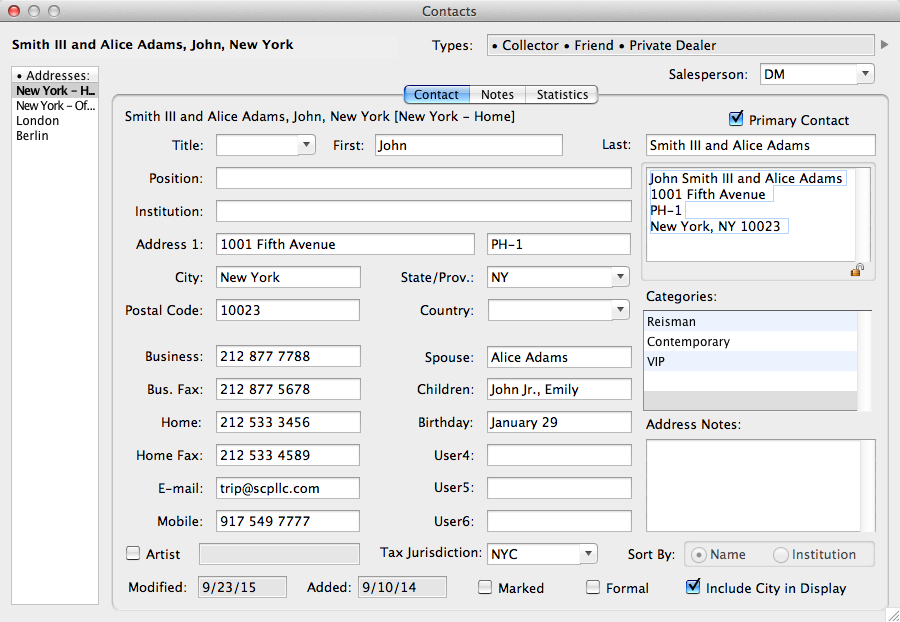
Q: Can you have more than one address for a contact?
A: Yes, in Artsystems software you can have as many addresses
for a contact as you need. The primary address for the contact
can be marked so that it always appears first when you look at the
client's record.
Q: Can I save and easily access an Artist Biography?
A: Yes, you can create an artist's biography and attach
it to the artist's record in Contacts.
(top)
ACCOUNTING QUESTIONS
Q: What are the accounting capabilities within Artsystems software?
A: GalleryPro and Studio record consignments, offers,
sales, returns, payments, individual work expenses, client net balances, aging accounts receivables, consignor statements, receipts journals, and much more. GalleryPro and Collections also track art purchases. GalleryPro and Studio calculate
Accounts Receivable (and GalleryPro Accounts Payable) with regard to the art works and
art work expenses. Many sophisticated accounting reports are standard.
Q: Do any of your programs integrate with other standard commercial accounting software packages?
A: Yes. Artsystems GalleryPro provides a link to QuickBooks Pro (U.S., Canada, New Zealand versions),
the most popular accounting software for small to medium-sized businesses.
QuickBooks Pro provides for all types of accounting needs, including
a full General Ledger and Payroll Module. In fact, unlike a customized
system, Intuit (the producer of QuickBooks Pro) can update its Payroll
Module with the current tax tables, and can provide online banking
and payroll transfer. The QuickBooks Pro Chart of Accounts is available
to GalleryPro through an import file, and any changes
made to these accounts in QuickBooks Pro can be reflected in GalleryPro.
Q: How does the QuickBooks Pro link work?
A: With Artsystems GalleryPro software, you have the option
whether or not to activate the link to QuickBooks Pro. If you
do choose to link to QuickBooks Pro, you will be able to link your
GalleryPro item's sales-related Accounts Receivable and Accounts
Payable information to your General Ledger in QuickBooks Pro. Artsystems
maintains your contacts, art inventory, and art inventory transactions.
The link to QuickBooks Pro enables you to automatically update your
General Ledger with Sales, Cost of Sales, Payment and Consignor/Artist
Liability information and eliminates the need to enter the same
information twice.
When the link to QuickBooks Pro is activated, drop-down list boxes
are available throughout GalleryPro for linking to the QuickBooks
Pro Chart of Accounts. The drop-down boxes allow you to choose the
vendor or client reference number for the appropriate account in
QuickBooks Pro.
When you create an Invoice in GalleryPro, or when a piece is returned
and you create a Credit Memo, the transaction can be posted to QuickBooks
Pro through a simple export/import process.
Q: Why did Artsystems choose to create a detailed link to QuickBooks
Pro instead of creating a full General Ledger within GalleryPro
itself?
A: Artsystems chose to focus on what we know best — art and
antiques management — and take advantage of the work Intuit
(the maker of QuickBooks Pro) has done in their development of a
great accounting program. We felt that the development focus of
Intuit on QuickBooks Pro allows much more flexibility and adaptability
to changing tax structures and technology innovations than could
offered by Artsystems. Please note that GalleryPro is the only
art and antiques business management software that integrates with
any general ledger application on a detail basis.
(top)
REPORTS QUESTIONS
Q: Are there built-in reports in Artsystems software?
A: Yes, there are quite a few standard accounting, contacts,
works inventory, editions, label and display reports in Artsystems
software. Please visit GalleryPro or Studio
Reports pages, or Collections Reports
for a list and a few examples.
Q: Can reports and transaction documents be customized?
A: Yes, the look and field contents of reports can be customized
to suit your specific needs or tastes for a reasonable fee.
(top) |